The Subscription Audit Spreadsheet (Find What's Draining You)
The Average Person Is Paying for 4 Subscriptions They've Forgotten About
Not because they're careless. Because subscriptions are designed to be invisible. Free trials that auto-convert. Annual renewals that hit once and disappear into the noise. Apps downloaded in 2022 that still charge $9.99/month. The money leaves quietly, every month, and nobody notices until they actually look.
The subscription audit is the look. Here's how to do it right.
How Much Are You Actually Spending?
A 2023 C+R Research study found the average American spends $219/month on subscriptions but estimates they spend only $86/month — a $133/month gap. That's $1,596/year in spending people don't consciously track. Most people who complete a subscription audit for the first time find their actual total is 40–60% higher than they estimated.
Step 1: Pull 3 Months of Statements
Go through your bank account and every credit card for the last 3 months. Look for every recurring charge — weekly, monthly, quarterly, and annual. Annual charges are the sneakiest: they hit once a year and you've long forgotten what they're for by the time they renew.
Don't rely on memory. Pull the actual statements.
Step 2: Build the List
For every subscription you find, log: service name, category (streaming, software, fitness, news, food, finance), monthly cost, annual cost, last used date, and renewal date.
Convert annual charges to monthly equivalents ($99/year = $8.25/month). Seeing everything on a monthly basis makes the total real in a way that individual charges don't.
Step 3: Calculate Your True Annual Subscription Spend
Add up all monthly costs and multiply by 12. This number — your true annual subscription spend — is the one that changes behavior. $47/month feels manageable. $564/year feels like a decision you should have made consciously.
Most people who do this exercise for the first time find their annual total is 40–60% higher than they estimated.
Step 4: Flag Anything Unused in 30 Days
Not 90 days. 30 days. If you haven't used it in a month, you're not going to use it. The "I might use it someday" subscription is the most expensive kind — it costs money every month for zero value.
Flag these for cancellation. Don't negotiate with yourself about whether you'll use it next month. You won't.
Step 5: Build the Kill List
Everything flagged goes on the Kill List. Work through it in one sitting — most cancellations take under 3 minutes. Some companies make it harder (gym memberships, cable bundles), but the friction is worth it. Set a timer and power through.
Common Kill List candidates: duplicate streaming services, fitness apps used less than twice a month, news subscriptions you read via social media anyway, software tools from a project that ended, and free trials you forgot to cancel.
Step 6: Set Up the Renewal Calendar
After the audit, log every remaining subscription's renewal date. Annual renewals especially. When a renewal is 30 days out, you get a reminder to decide: keep or cancel. You're never surprised by a charge again, and you're never paying for another year of something you stopped using.
What to Do With the Savings
The average person who completes a proper subscription audit finds $150–$300/month in cancellable charges. That's $1,800–$3,600/year. Direct it toward your debt payoff target, emergency fund, or investment account. The audit pays for itself in the first month — and every month after.
For context on how subscription creep accumulates, see Subscription Tracker: How to Find and Cancel the Subscriptions Draining Your Bank Account.
Frequently Asked Questions
How do I find all my subscriptions?
Pull 3 months of bank and credit card statements and look for every recurring charge. Check your email for subscription confirmation emails. Review your PayPal, Apple Pay, and Google Pay accounts for recurring payments. Check your phone's subscription settings (iOS: Settings → Apple ID → Subscriptions; Android: Play Store → Subscriptions).
How often should I do a subscription audit?
A full audit once a year is sufficient for most people. Set a reminder in January or at tax time. Between audits, log new subscriptions as you sign up and cancel immediately when you stop using a service rather than waiting for the next audit.
What's the easiest way to cancel subscriptions?
Most subscriptions can be canceled directly in the app or website settings. Apple and Google Play subscriptions can be managed centrally in your device's subscription settings. For stubborn ones (gyms, some streaming services), calling is faster than navigating the cancellation flow.
How do I stop forgetting about annual subscriptions?
Log every annual subscription's renewal date in a tracker or calendar. Set a reminder 30 days before each renewal to decide: keep or cancel. This eliminates the "I forgot it was renewing" problem entirely and ensures you never pay for another year of something you stopped using.
Is $200/month on subscriptions too much?
According to a 2023 C+R Research study, the average American spends $219/month on subscriptions. Whether that's too much depends on your income and how intentional each subscription is. The goal isn't to cancel everything — it's to cancel the ones you don't use and keep the ones that genuinely add value relative to their cost.
Ready to Put This Into Action?
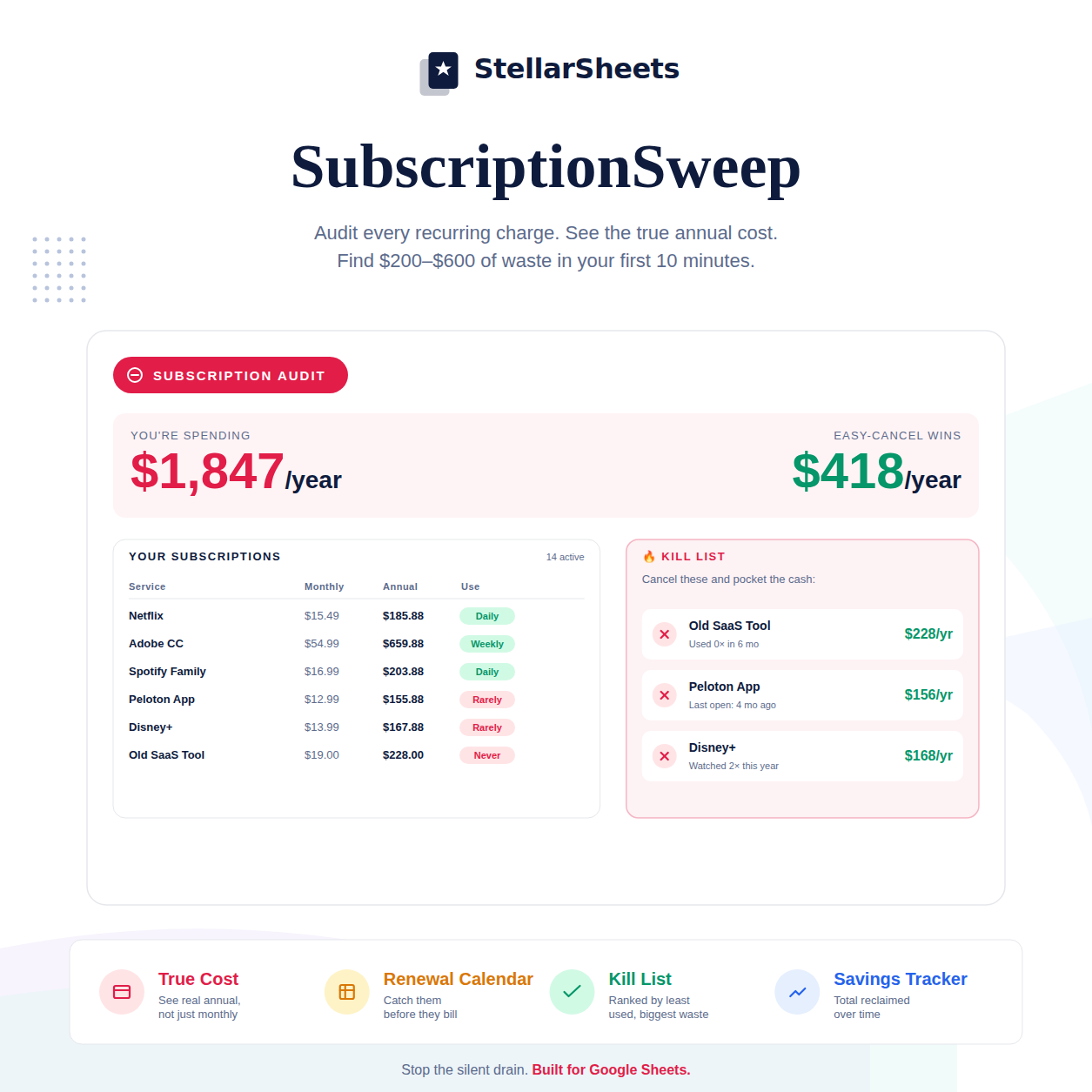
Knowing the strategy is step one. Having the right tool is step two. SubscriptionSweep – Google Sheets lists every recurring charge, calculates your true annual cost, flags unused subscriptions, and tracks renewal dates — all in one pre-built dashboard. Instant download, yours forever.
Or browse the full Budgeting Templates collection to find the right tool for your situation.
-
Posted in
budgeting, google sheets, save money, subscription tracker, subscriptions