Paycheck Calculator That Shows Your Actual Take-Home
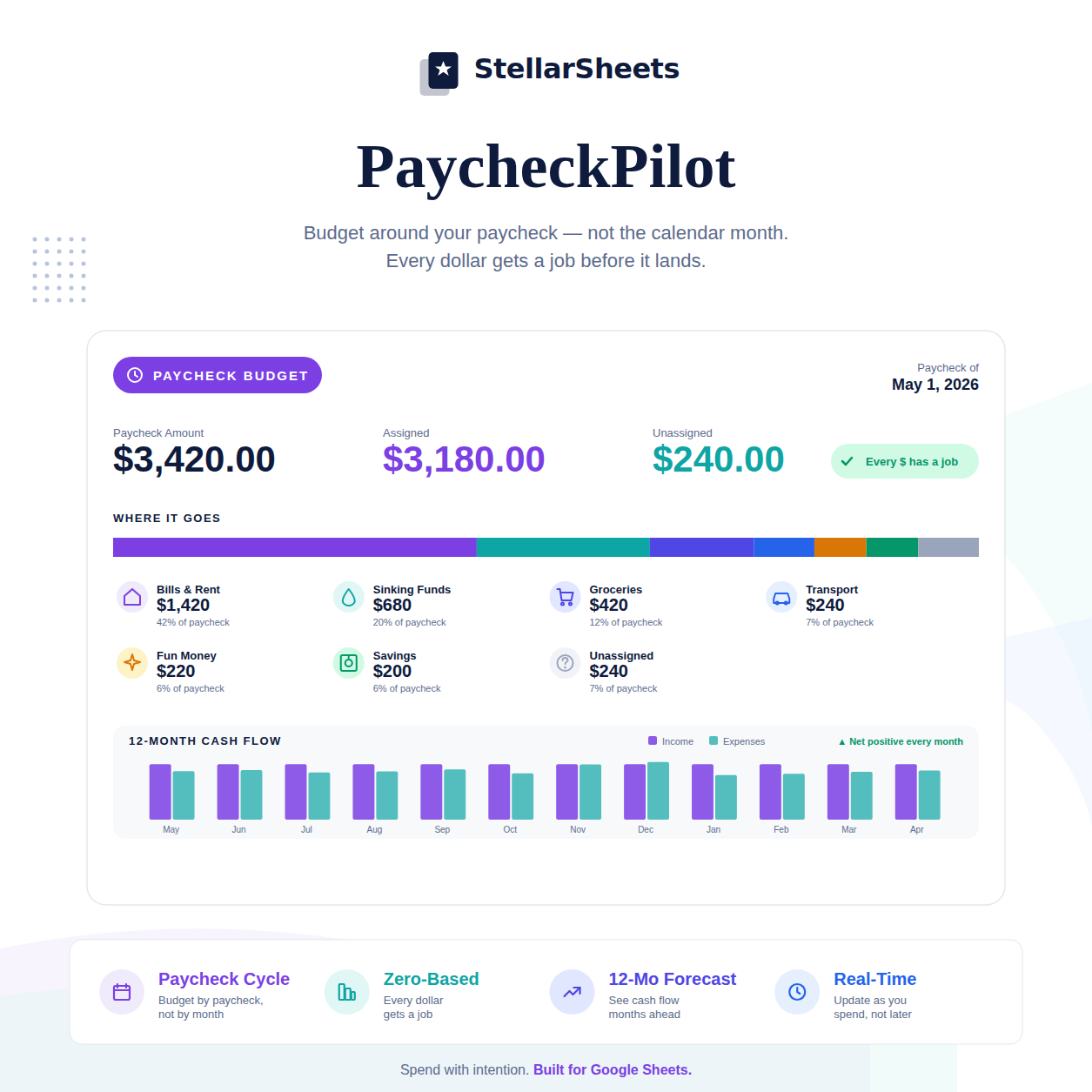
Your Gross Pay Is a Lie. Here's What You Actually Take Home.
Your offer letter said $65,000. Your paycheck says something different. Federal taxes, state taxes, Social Security, Medicare, health insurance, 401k contributions, HSA — by the time everything comes out, your take-home is often 65–75% of your gross salary. And most people have never calculated exactly what that number is, or how to budget around it.
This post shows you how to calculate your real take-home pay and build a budget around what actually hits your bank account — not what your offer letter says.
The Deductions That Reduce Your Take-Home
Federal income tax — based on your filing status and W-4 withholding elections. For most single filers at $65,000, this is roughly 18–22% effective rate after the standard deduction.
State income tax — varies by state. Zero in Texas, Florida, Nevada. Up to 13.3% in California. Know your state's rate.
Social Security — 6.2% of gross pay up to $168,600 (2024 wage base).
Medicare — 1.45% of gross pay, no cap. An additional 0.9% applies above $200,000.
Health insurance premiums — your share of employer-sponsored coverage. Typically $100–$500/month depending on plan and employer contribution.
401k/403b contributions — pre-tax contributions reduce your taxable income and your take-home. Worth it, but factor it in.
HSA/FSA contributions — pre-tax; reduce take-home but reduce taxes more.
Other deductions — dental, vision, life insurance, disability, parking, transit.
How to Calculate Your Real Take-Home Per Paycheck
- Start with your gross pay per paycheck (annual salary ÷ 26 for bi-weekly)
- Subtract pre-tax deductions (401k, HSA, health insurance) — these reduce your taxable income
- Calculate federal income tax on the remaining amount using your withholding elections
- Calculate state income tax
- Subtract Social Security (6.2%) and Medicare (1.45%)
- Subtract any post-tax deductions (Roth 401k, life insurance, etc.)
- The result is your net pay — what actually hits your bank account
Why This Matters for Budgeting
A paycheck-based budget built on gross pay is a budget built on a fiction. Every allocation — rent, groceries, debt payments, savings — needs to be sized against your actual take-home, not your salary. The gap between gross and net is where most budgets break down before they even start.
Once you know your real take-home per paycheck, you can assign every dollar to a category before you spend it. Bills get mapped to the specific paycheck they come out of. Discretionary spending gets a real number, not a guess. Savings gets whatever's left after obligations — or better, gets assigned first.
The Paycheck Budget in Practice
Paycheck 1 (1st of month): $1,847 net. Rent: $1,100. Groceries: $200. Gas: $60. Subscriptions: $45. Remaining discretionary: $442.
Paycheck 2 (15th of month): $1,847 net. Car payment: $380. Insurance: $120. Utilities: $90. Dining: $150. Savings: $300. Remaining: $807 — rolls to next month's buffer.
That's a complete budget. Built on real numbers. No surprises.
Ready to Put This Into Action?
Knowing the strategy is step one. Having the right tool is step two. PaycheckPilot – Google Sheets assigns every dollar before you spend it — zero-based, paycheck-by-paycheck, with a 12-month cash flow forecast built in. Pre-built formulas, instant download, yours forever.
Or browse the full Budgeting Templates collection to find the right tool for your situation.
-
Posted in
budgeting, cash flow, google sheets, paycheck, zero-based budget